
As-Built Record Drawings: Freeze and Verify the Issued Set
As-built record drawings need a controlled issue as well as reviewed content. After the responsible reviewer makes the release decision, list the exact files and revisions in an issue manifest, record their SHA-256 hashes, and compare those hashes with the delivered copies. A match supports a byte-integrity check against the manifest; it does not establish survey accuracy, engineering acceptance, or who authorized the issue.
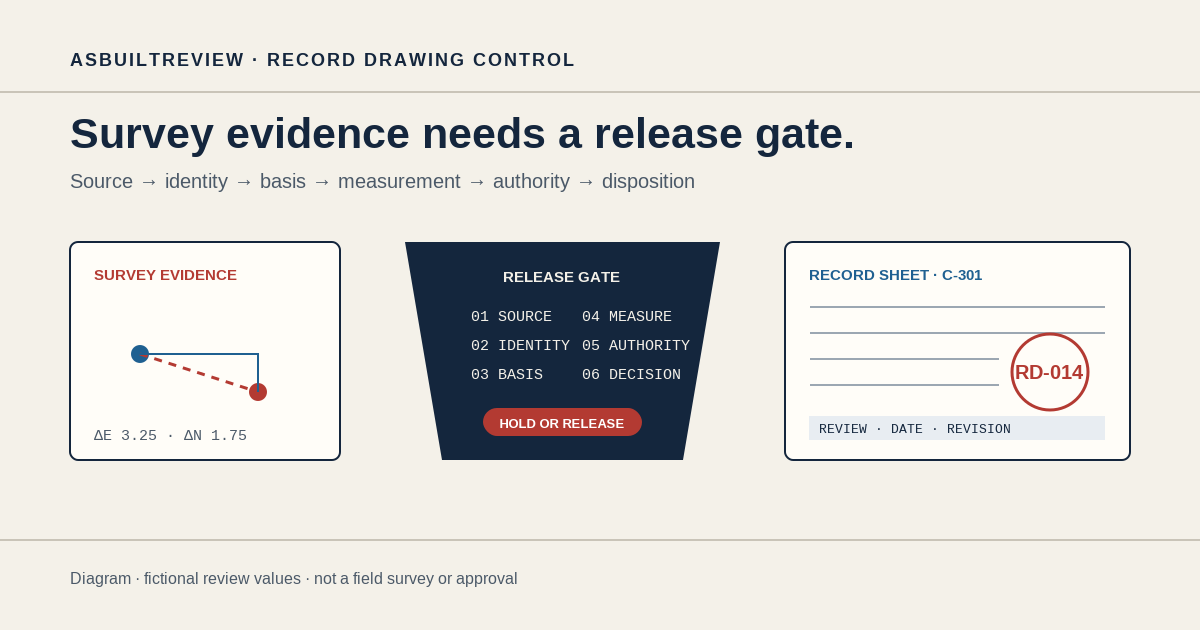
What is the issued record-drawing set?
For this article, “as-built record drawings” means the controlled final files prepared from reviewed construction and survey evidence. Project terminology varies: the contract may use “record drawings,” “as-builts,” or another defined deliverable. Follow those definitions and the owner's required formats, authentication, review, and retention process.
This guide starts after technical review. Use the redline-to-closeout checklist to trace findings into the final sheets, or the sheet-by-sheet package example to reconcile an index and drawing callouts. Here the narrower task is to freeze the selected files, detect a different file at handoff, and control a later reissue.
Why can the right revision label still hide a different file?
A filename or title-block revision is a human label, not a byte-for-byte identifier. Someone can export CAD again, change metadata, add a comment, or replace a file while keeping its name. Even a harmless re-export can change its hash. A mismatch therefore means “this is not the exact issued file”; it does not tell you whether geometry changed or whether anyone acted improperly.
NIST's hash-functions overview describes hashes as fixed-length message digests and lists SHA-256 in the SHA-2 family. This is the basis for comparing file fingerprints here; it is not an endorsement of this worksheet, the example files, or AsBuiltReview.
Keep content review and file identity as separate decisions. A reviewer may have accepted the intended drawing, while the download folder still contains a superseded PDF. Conversely, a perfect hash match can faithfully reproduce an inaccurate or unapproved drawing.
How do you freeze the exact files selected for issue?
- Record the release decision. Identify the responsible reviewer, decision date, governing procedure, approved scope, and any exceptions. A hash does not grant this authority.
- Collect the required formats. Identify the selected PDF, CAD, index, and supporting records as the project requires. Check the sheet revisions and any required signatures before making the file list.
- Record identity. Give the issue a stable release ID. For each exact filename, record its sheet or role, revision, and SHA-256 hash. Calculate the hashes after final export and any required signing; changing or signing a file afterward changes its bytes.
- Keep the manifest trustworthy. Retain the manifest and approval record in the project's controlled record system. If both a drawing and its manifest can be silently replaced, matching hashes do not establish a trustworthy issue.
- Check the recipient copy. Download the delivered files into a separate folder. Compare the required file list, revisions, and hashes with the retained manifest. Hold the handoff if a required file is missing or different.
Keep the working folder and issued copy distinct. Record who checked the received files, when, and against which release ID. Do not edit an issued file in place merely to make its labels agree with the manifest.
Can you reproduce a file-substitution check?
Yes. Download these three small demonstration files. The issued DXF is generated from AsBuiltReview's tracked permitDXF() test fixture. The second DXF contains the same drawing entities plus one added DXF comment. Neither file is a surveyed project, an accepted record drawing, or a certified deliverable.
- Download the fictional issued DXF
- Download the comment-added comparison DXF
- Download the demonstration issue manifest (CSV)
In the folder containing the downloads, use your operating system's SHA-256 tool. On macOS, run the commands below. On Windows PowerShell, use Get-FileHash -Algorithm SHA256 followed by each quoted filename. Compare the complete 64-character hash; letter case in its hexadecimal display does not change the value.
shasum -a 256 record-drawing-fixture-issued.dxf
shasum -a 256 record-drawing-fixture-comment-copy.dxf
The issued file's expected SHA-256 value is:
ec42a64daee4f49bb39bc861bc602663737e00a5f60f9b05cec8f1acc155295f| Candidate | Compare with DEMO-01 | Finding | Next action |
|---|---|---|---|
| Issued fixture DXF | Full hash matches | Same bytes as the listed example | Identity check only; no engineering acceptance |
| Comment-added DXF offered in its place | Different filename and hash | Different file; drawing entities unchanged | Hold substitution and review the changed file |
There are two candidate files, but only one matches the issued manifest: 1 of 2 identity checks passes. This is the result of a controlled file exercise, not a product accuracy rate. Renaming the changed copy would not repair its hash mismatch. The example also shows the limit of a hash: a non-geometric comment changes the result, so you still need to inspect the reason for a mismatch.
The fixture module also deliberately plants fictional survey differences, including this source line:
const moved: Record<string, XY> = { "MH-4": [3.25, 1.75] };That line identifies test inputs only. It does not establish actual survey observations or the correctness of a production import, and it is not the basis for releasing a real record drawing.
What should the release-control worksheet retain?
Copy these fields into the project's existing register. The downloadable CSV contains one fictional file and its full hash so you can repeat the exercise; it is not a prescribed agency form.
| Issue and authority | Exact file identity | Recipient check | Reissue trail |
|---|---|---|---|
| [release ID / date] [reviewer / decision reference] | [filename / sheet / revision] [full SHA-256 / controlled manifest] | [downloaded copy / checked by / date] [same / missing / different] | [superseded issue] [change reason / replacement decision] |
A “same” result closes the file-identity check only. Keep unresolved content, signature, datum, and acceptance questions in their own review records rather than turning a checksum into an approval stamp.
How do you handle a mismatch or a later correction?
Retain both versions and the original manifest. Identify the source of the mismatch: wrong revision, incomplete upload, a new export, signing, or an intentional revision are different cases. Recheck technical content and any required authentication under the governing process. Do not silently replace the saved manifest to make a different file appear to be the original issue.
If the responsible reviewer authorizes a replacement, create a new release ID and manifest, record the reason and decision, link the superseded issue, and verify the newly delivered copy. The project's record system and contract decide how recipients receive and acknowledge revisions; this checklist does not prescribe a notification or legal acceptance process.
Where do professional review and AsBuiltReview fit?
Caltrans' Construction Manual, Section 5-104D, provides an agency-specific example: field changes are transferred to the district's original CADD files, the resulting set becomes the as-built plans, and final drawings go to the resident engineer for review and signature. These are Caltrans procedures. The manual is not being cited as a requirement to use this article's manifest, SHA-256 method, or issue numbering.
The AsBuiltReview features page describes first-pass comparison, structure matching, offsets, elevation and pipe checks, spec citations, a redline PDF, a compliance report, an Excel review log, and a rough DXF. A licensed engineer confirms every finding; the product does not stamp, certify, or approve drawings. DWG is not read directly, starter limits are placeholders, and the rough DXF needs finishing in CAD.
The file-identity exercise here uses downloaded samples and operating-system tools. It does not demonstrate an AsBuiltReview archive, signing service, approval workflow, or a completed customer review.
What do reviewers ask about as-built record drawings?
Reviewers need to distinguish approved content, issued-file identity, and a controlled reissue.
What are as-built record drawings?
As-built record drawings are the final drawing set updated to show supported conditions at completion. The contract and governing authority decide who prepares them, what they include, and how they are accepted.
Are record drawings the same as field redlines?
Usually no. Field redlines are working markups and evidence inputs; record drawings are the controlled final sheets produced from accepted changes. Project terminology can differ, so follow the contract definitions.
Does a matching file hash approve a record drawing?
No. A matching hash supports the file-integrity check against the retained manifest entry. It does not establish engineering accuracy, a valid signature, approval authority, or acceptance.
Can AsBuiltReview certify record drawings?
No. AsBuiltReview supports a first-pass comparison and produces review files. A licensed engineer must confirm every finding; the product does not stamp, certify, or approve drawings.